Tool review
Webflow Review (2026): The Cascade, The Bill, and The Export
Webflow is the only mainstream builder whose style model a designer can fully predict — and the only one you pay for twice. A review of what the 2026 plan reshuffle actually changed.
- Issued
- 22 JUL 2026
- Last verified
- 19 SEPT 2026
- Reading
- 5 min
- Score
- 9.2 / 10
This Webflow review is written from one seat only: a designer who has already made the layout and now has to make it real. On that measure Webflow is the strongest tool in the category and the most expensive to reason about, and those two facts have the same cause. It gives you the browser's actual model rather than a friendlier one, so you get the browser's actual power and the browser's actual complexity, plus a plan structure that bills those separately.
It also had a busy year. Webflow retired the CMS and Business site plans in May 2026 and merged them into a single Premium tier, which means most of the pricing advice online is describing a lineup that no longer exists. Everything below was read off Webflow's own pricing page on 20 September 2026.
The style panel is a stylesheet with a lid on it
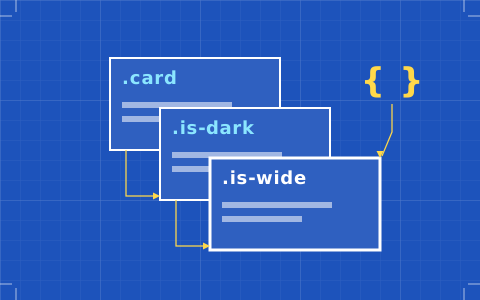
Everything good about this tool follows from one decision: classes are first-class. You name a class, you style it, you apply it, and when you need a variant you add a combo class that inherits and overrides. That is not a metaphor for CSS, it is CSS with a graphical front end, and the consequence is that a designer can predict the blast radius of a change.
This matters more than any feature list. In tools that style elements individually, a design system exists only in your discipline; the moment someone on the team nudges a heading rather than editing the class, the system has a hole in it and nothing warns you. Webflow makes the disciplined path the easy path, and that is the whole argument for learning it.
Variables cover colour, typography and spacing, states are exposed where you expect them, and the breakpoint model cascades downward from a base — which is a real model with real rules rather than a set of independent canvases. If you want the long version of how that compares across tools, the sheet on breakpoint models goes through it.
Site plans, workspace plans, and the bill nobody quotes
Here is the trap, stated plainly. Webflow charges for site plans and workspace plans separately, and most comparisons quote only the first.
Site plans cover one published site. Basic is $15 a month billed yearly: custom domain, 300 static pages, 10 GB bandwidth, and no CMS whatsoever. Premium is $25 a month billed yearly and is the new merged tier — it adds the CMS with 40 collections and 20,000 items, and 50 GB of bandwidth, with paid bandwidth add-ons running from $20 a month for another 50 GB up to the terabytes. Above those sit a Team plan at $2,500 a month on an annual contract and a custom Enterprise tier.
Workspace plans cover your account. Starter is free and will publish sites quite happily. Core is $19 a month billed yearly and is the one most designers actually need, because it carries custom code, Shared Libraries, ten staging sites and — the reason it exists for us — code export. Growth at $49 adds unlimited staging, password protection, 301 redirects and role controls.
Seats are a third line. One is included; a full seat is $39 a month billed yearly, a limited seat for content editing and component-level page building is $15, and reviewer seats who can comment but not edit are free. A two-designer studio wanting export on a CMS site is therefore looking at $25 plus $19 plus $39, not $25. The pricing sheet works through the common combinations.
The export, and the hole in it
Code export is the feature that makes Webflow defensible to a client who asks what happens if the platform disappears, so it is worth quoting Webflow's own description rather than paraphrasing. The pricing page says export gives you "clean, semantic HTML and CSS files for your dev team", and then, in the same row: "Dynamic content (CMS items/pages) can't be exported."
The static design leaves. The content model stays. Any promise you make to a client about portability has to be made in those terms or it is not true.
In practice that is still worth having. The markup is clean, the class names are yours, and a developer receiving it is receiving something they can work with rather than a generated soup. But a marketing site whose value is 400 CMS entries is not portable in the way people assume, and the full export accounting is the sheet to read before you write that clause into a contract.
Coming in from Figma
Webflow ships a Figma plugin, and it does roughly what every such plugin does: it moves layout, type and assets across as a starting structure. What it cannot do is decide your class architecture for you, and class architecture is the entire value of building in Webflow. Import a file without a plan and you get a pile of one-off styles that look right and behave like nothing.
The workflow that survives contact with a deadline is to import for reference, build the class system deliberately, and rebuild anything responsive or stateful. That is not a criticism of the plugin; it is the nature of moving between a static artboard model and a flow-based one. The Figma to Webflow sheet covers what reliably makes the trip and what never does.
Who Webflow is for
It suits the designer who thinks in systems and is prepared to maintain one: someone who names things carefully, who wants the cascade rather than protection from it, and who would rather spend a fortnight learning a tool properly than spend three years working around a simpler one.
It suits studios that hand sites over, because site transfer between workspaces is a supported operation and the client can end up holding their own bill. And it suits anyone who has to answer the portability question in writing, provided they answer it accurately.
Check the current plan sheet before you commit
Where it falls down
The pricing structure is the main complaint and it is a fair one. Two plans and a seat line is three things to explain to a client, and the marketing does not make the arithmetic easy. A solo designer on a single small site can genuinely end up paying more than they expected for the privilege of exporting their own work.
The second complaint is the curve. Webflow's honesty about CSS is exactly what makes it unteachable in an afternoon, and if nobody on the project understands specificity the tool will faithfully reproduce that misunderstanding at scale. The third is smaller: the CMS is strong for a builder but it is still a builder's CMS, and complex relational content will eventually feel cramped.
None of that moves it off the top of the best website builders for designers. It means the score is 9.2 rather than higher, and that the second line on the invoice should never be a surprise.
Queries raised on this sheet
Is Webflow still worth it after the 2026 pricing change?
For designers who need the CMS, the change is broadly neutral to positive: the old CMS plan at $23 and Business at $39 were merged into Premium at $25 a month billed yearly, with higher limits than the old CMS tier carried. The Basic plan at $15 is unchanged in role — a custom domain and static pages, no CMS.
Do you need a paid workspace plan to use Webflow?
Not to build or publish. The free Starter workspace will happily run paid hosted sites. You need Core at $19 a month billed yearly for code export, custom code and Shared Libraries, which is why most professional users end up on it even though the site plan alone would technically do.
What exactly does Webflow code export give you?
Semantic HTML and CSS files for the static parts of the site, in Webflow's own words, plus your assets and class names. It does not include dynamic CMS items or CMS-generated pages, and it does not include ecommerce. A content-heavy site therefore exports its shell rather than its substance.
How many seats does a small studio actually need?
One is included with the workspace. A second designer who needs to build needs a full seat at $39 a month billed yearly. Someone who only writes copy or manages CMS entries needs a limited seat at $15, and anyone who only reviews and comments can use a free seat, which is the line most teams forget exists.
See alsoWhere this tool lands against the rest of the set: the best website builders for designers.