Tool review
Framer Review (2026): Fast, Fluent, and Completely Closed
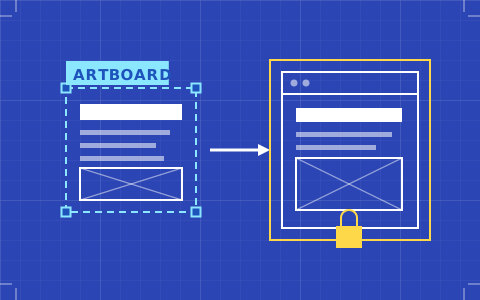
Framer is the most pleasant place a designer can build a website, and the only tool here with no way out. A review of the 2026 plans, the cheaper seats, and what that closure actually costs.
- Issued
- 28 JUL 2026
- Last verified
- 19 SEPT 2026
- Reading
- 5 min
- Score
- 8.8 / 10
A Framer review aimed at designers can skip the usual preamble, because the thing everyone notices in the first hour is real: this is the most fluent web design tool on the market. Stacks and constraints behave the way they do in the tools you already use, the animation defaults are restrained rather than showy, and a finished artboard can be a live URL before lunch.
Everything difficult about it is downstream of one decision. Framer is a closed system, and it is closed more completely than any of its competitors. Whether that is a reasonable trade is the whole of the review. Plans were read from Framer's own pricing page on 20 September 2026.
Designed by people who design
The layout model is the product. Stacks, grids, fixed and relative sizing, constraints that behave predictably when a parent resizes — none of this is novel, but it is assembled by people who clearly spend their days in design tools rather than in issue trackers. The result is that you spend your attention on the design problem instead of on the tool's opinion about the design problem.
Style handling is token-first: colours, type styles and spacing values live as shared definitions and propagate. That is a genuine design-system model, and for most studio work it is sufficient. What it is not is a cascade. You cannot reason about specificity because there is no specificity to reason about, which removes a class of bugs and removes a class of solutions with it.
There is a code-component escape hatch for anything the canvas cannot express, and it is a proper one — React components that accept props you can edit visually. It is also the point where a designer without a developer stops, so weigh it honestly.
Plans, seats, and the numbers that moved this year
The lineup is short, which is a mercy. Basic is $10 a month billed yearly: 30 pages, two CMS collections, 1,000 CMS items, 50 GB of bandwidth, built-in SEO controls and a complimentary custom domain on the annual term. Pro is $30 a month billed yearly: 150 pages, 10 collections, 2,500 items, 100 GB, plus staging and redirects. There is a free tier that publishes to a Framer subdomain only, and a custom Enterprise tier above.
Pro meters rather than forcing an upgrade, which is unusually civil: pages at $20 per additional 100 up to 700, collections at $40 per 10 up to 40, items at $20 per 10,000 up to 40,000, bandwidth at $40 per 100 GB up to 2 TB. You can therefore grow a site well past the headline limits without renegotiating anything.
Seats got cheaper this year and it is worth knowing why it matters. Viewers are free on every plan. A design editor is $20 a month, down from the higher figure that applied on upper tiers previously. New this year is a content editor at $10 a month, covering CMS work, localisation and on-page editing without design access — which is exactly the role most clients need and previously had to buy at full price. Edit access caps at ten users on Basic and Pro alike. Holders of Framer's Pro Expert status get free editor access on client projects.
Mini and Launch, if you remember them, are gone. So is the Scale tier that Framer announced in late 2025 — it is not on the live pricing page today. That volatility is itself a finding: anything you read about Framer pricing that is more than a few months old should be checked before you quote it.
The CMS, and where it stops
For a marketing site, a journal, a small catalogue of case studies, the CMS is entirely adequate. Collections are quick to define, the binding between a collection and a layout is direct, and a client can be given a content-editor seat without being handed the design.
The ceiling arrives with relationships. Content models that need many-to-many links, deep reference chains or conditional publishing logic will feel the walls, and the two-collection limit on Basic arrives sooner than people expect — a blog plus a case-study collection and you are already there, with authors and tags needing a Pro upgrade.
Coming in from Figma
Framer's Figma path is the smoothest in the category and it is still an import, not a handoff. You copy frames on the Figma canvas and paste them in, or use the plugin, and layers, groups and structure come across intact enough to be a real head start. Framer markets this as a Figma-to-HTML workflow, and the phrasing is fair as long as you hear it as a starting point.
What does not come across is behaviour. Responsiveness, states, CMS binding and anything conditional get built in Framer regardless of how clean the file was. Designers who prepare their Figma files with auto-layout everywhere get a noticeably better result than those who do not, and the Figma to Framer sheet covers the preparation that pays for itself.
The thing you cannot do: leave
There is no code export in Framer, on any plan, and there is no sign of one arriving. Your markup, your styles and your transitions are rendered by Framer's infrastructure and served from Framer's hosting, permanently. Services exist that scrape a published Framer site and hand you HTML; they are re-capturing what a browser already receives, they are not a Framer feature, and presenting one to a client as a portability plan would be dishonest.
For your own studio site this is a shrug. For a client's site it is a clause in a contract, and it should be a clause you wrote rather than one they discovered. The comparison of what each platform lets you walk away with is laid out on the best website builders for designers.
Who Framer is for
It is for the designer whose constraint is time and whose standard is craft: someone who would rather ship a genuinely good small site this week than a theoretically portable one next month. It is for studios doing launch pages, identity sites and showcase pages where the content model is shallow and the visual bar is high.
It is not for the project that must survive the vendor, and it is not for the content-heavy build that will outgrow ten collections. Those are different jobs with a different answer, and the honest version of this review says so.
Queries raised on this sheet
How much does Framer cost in 2026?
Basic is $10 a month billed yearly and Pro is $30 a month billed yearly, with a free tier that publishes to a Framer subdomain and a custom Enterprise tier. Editor seats are $20 a month each, content-editor seats are $10, and viewers are free. The Mini and Launch plans have been retired.
Can you move a Framer site to another platform later?
Not as code. Framer offers no export, so moving means rebuilding the design elsewhere and migrating content by hand or via the API. Plan for that at the start of a project rather than at the end of one, and price the rebuild into any portability promise you make.
Is Framer Basic enough for a client site?
For a small brochure site with one content type, often yes. Thirty pages and two CMS collections go further than they sound for a tightly scoped build. A site with a blog, case studies and any taxonomy will need Pro, and it is cheaper to start there than to hit the ceiling mid-project.
What is the difference between an editor seat and a content editor seat?
An editor at $20 a month can design, edit content and publish. A content editor at $10 a month can update the CMS, handle localisation and use on-page editing, but cannot change the design. For most client relationships the cheaper role is the correct one and it protects the work as a side effect.
Check the current plan sheet before you commit
See alsoWhere this tool lands against the rest of the set: the best website builders for designers.