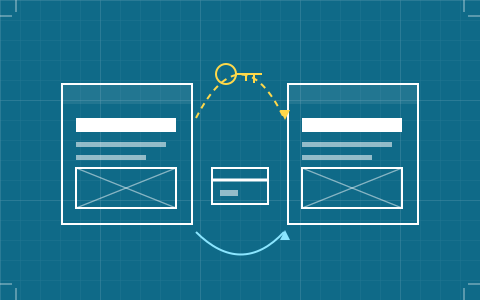
Client Handoff: Who Owns the Site, and Who Pays for It
The unglamorous clause that decides whether a finished project stays finished. What transfer actually involves on each platform, and the four things to settle before you quote.
11 SEPT 2026
Drawing set 01 · build tools for designers

Six build tools, measured on the things a designer actually loses sleep over: what survives the trip out of Figma, how much of the cascade you are allowed to touch, and what you can hand over when the invoice is paid.
01
9.2/10
A real class cascade, and the only export in the set — minus its CMS.
02
8.8/10
Figma layout to live URL in an afternoon. Nothing leaves the platform.
03
8.0/10
Built around billing a client, not around your stylesheet.
The unglamorous clause that decides whether a finished project stays finished. What transfer actually involves on each platform, and the four things to settle before you quote.
11 SEPT 2026
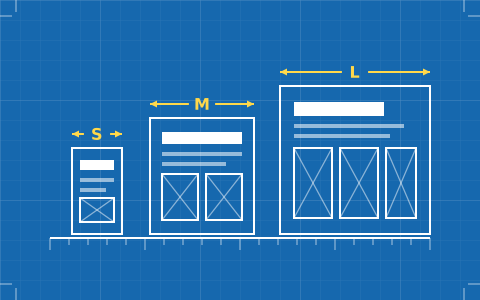
Arguing about whether the tablet breakpoint is 768 or 810 misses the question. What decides your week is whether the tool cascades, and whether you designed a base to cascade from.
06 SEPT 2026
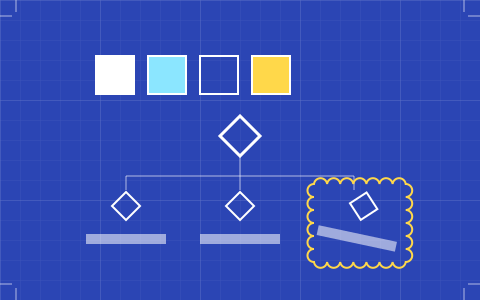
Every builder now ships variables and components. What separates them is whether the system survives a second person editing it, and whether it can cross from one site to the next.
01 SEPT 2026
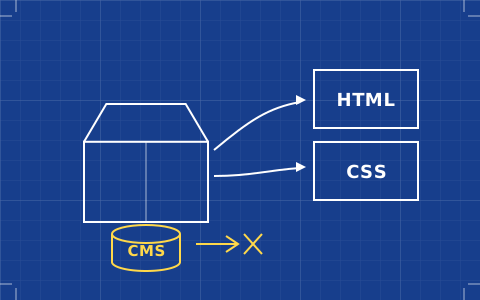
Export is the feature that lets you answer a client's portability question honestly — as long as you answer it accurately. What comes out, what stays behind, and what it costs.
27 AUG 2026
Some of the gap between your Figma file and the live page is the browser being a browser. Some of it is the tool rounding your decisions. Learning to tell them apart is the whole skill.
23 AUG 2026
Every builder claims full design control. What they mean varies from a real class cascade to a styling panel with an escape hatch. A working taxonomy, and which one you need.
18 AUG 2026
A tool review written for a general audience asks whether a website builder is easy. That is the wrong question in a studio. You already know how to make a layout; what you need to know is where the tool will stop you, and whether it stops you somewhere you can live with. So every sheet here is drawn against the same four constraints.
Scores are assessments of documented capability and published terms, not stopwatch tests. Where a tool's own pricing page and the rest of the internet disagree, the pricing page wins and the date of checking is printed on the sheet.
There is no ranking here of which tool makes the prettiest template, because a designer buying a template is buying somebody else's constraints twice over. There is no verdict on which platform is objectively best, because the honest answer depends on a question only you can answer: whether this site has to outlive your involvement in it.
And there are no invented measurements. Nobody here has run a stopwatch over someone else's published site and reported it as a platform characteristic. Where a claim is a judgement it reads like one.
Some outbound links are partner links, and a paid signup through one may earn a commission. It buys nothing: the affiliate disclosure sets out the rule, and the plainest evidence is that the tool with the most generous programme in this category is not at the top of the schedule. Start with the best website builders for designers, or go straight to the Webflow review.
Webflow, by a clear margin. Its class system is a real cascade — you name classes, combo-classes inherit, and the style panel writes properties you would recognise from a stylesheet. Framer gives you tokens, layout controls and a code-component escape hatch, but not a class cascade you can reason about the same way.
Rarely, and never completely. Webflow exports semantic HTML and CSS, but only from a paid Workspace plan, and dynamic CMS items and pages are excluded from the export. Framer publishes no code export at all on any plan. If owning the files matters more than the visual editor, a desktop tool that edits your own project folder is the honest answer.
No import produces production markup. Webflow's Figma plugin and Framer's paste-from-Figma both move layout, type and assets across as a starting structure, then you rebuild the parts that have to be responsive, stateful or CMS-driven. Treat the import as a tracing layer, not a handoff.
Decide it before you start. Webflow transfers a site between Workspaces and can bill the client directly, Framer lets you add the client as an editor seat, and both leave you responsible for the plan until someone else takes it on. Write the transfer step and its cost into the proposal rather than discovering it at invoice time.