Workflow sheet
Webflow Pricing for Designers: Why You Pay Two Bills
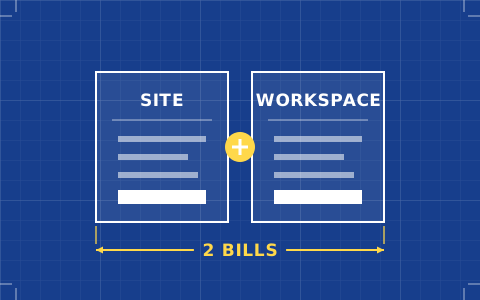
Webflow charges for the site and for the account separately, and the feature most designers want lives on the second bill. The arithmetic for four common studio setups, with 2026 figures.
- Issued
- 03 AUG 2026
- Last verified
- 19 SEPT 2026
- Reading
- 5 min
- Type
- Guide
Webflow pricing confuses designers for one structural reason, and once you see it the confusion stops. There are two separate subscriptions. A site plan pays for a published website. A workspace plan pays for your account and the professional features inside the designer. Almost every comparison article quotes the first and forgets the second, which is how people arrive at a budget of $15 a month and a bill closer to $75.
Everything below was read from Webflow's own pricing page on 20 September 2026. That date matters this year: Webflow retired the CMS and Business site plans in May 2026 and merged them into a new Premium tier, so any figure you find quoting "CMS $23" or "Business $39" is describing a lineup that has been gone for months.
Bill one: the site plan
This covers a single published site and scales with what the site needs to do.
- Starter — free. Publishes to a webflow.io subdomain. No custom domain.
- Basic — $15/month billed yearly. Custom domain, 300 static pages, 10 GB bandwidth. No CMS.
- Premium — $25/month billed yearly. Everything in Basic plus the Webflow CMS: 40 collections, 20,000 items, 50 GB bandwidth.
- Team — $2,500/month, annual contract required. A platform plan, not a studio one.
- Enterprise — custom.
The Basic-to-Premium decision is simply whether anything on the site is content-driven. A five-page identity site is Basic. Anything with a journal, a case-study index or a team page you would rather not hand-edit is Premium, and the $10 difference is the cheapest decision in this whole article.
Premium bandwidth is extendable rather than capped: another 50 GB is $20 a month on annual billing, 100 GB is $40, and the ladder continues into the terabytes. For a design-led site with heavy imagery this is a line worth watching, because it arrives without warning.
Bill two: the workspace plan
This covers your account across every site you build, and it is where the features designers actually reach for live.
- Starter — free. Unlimited paid hosted sites, 2 staging sites, 2 pages per staged site.
- Core — $19/month billed yearly. 10 staging sites, 300 pages per staged site, custom code, Shared Libraries, and code export.
- Growth — $49/month billed yearly. Unlimited staging, password protection, 301 redirects, site-level roles, publishing permissions.
Read that Core line again, because it is the single most misunderstood fact about Webflow's pricing. Code export is not a site-plan feature. It is a workspace feature, it costs $19 a month billed yearly, and no amount of paying for Premium will unlock it. If your reason for choosing Webflow over its competitors is that you can get the code out, then $19 is not optional and your real floor is $34 a month.
There is also a separate Freelancer and Agency workspace track alongside Starter, Core and Growth. Its pricing renders behind a tab that would not load for us, so check it directly if you bill clients — it exists, and it may be the better shape for a studio.
Bill three, which is really part of bill two: seats
One seat is included with a workspace. Beyond that, all figures billed yearly:
- Full seat — $39/month. Designs full sites, manages admin settings.
- Limited seat — $15/month. Edits content, builds pages with existing components.
- Free seat — $0. Reviews and comments. No edit access.
The free reviewer seat is the line most studios forget. Clients and stakeholders who need to see work in progress and leave notes do not need a paid seat, and handing them one is a common and entirely avoidable $39 a month.
Four studio budgets, worked through
All figures are monthly, on annual billing, for one site.
| Setup | Site plan | Workspace | Seats | Monthly total |
|---|---|---|---|---|
| Solo designer, static studio site, no export | Basic $15 | Starter free | 1 included | $15 |
| Solo designer, CMS site, wants export | Premium $25 | Core $19 | 1 included | $44 |
| Two designers, CMS site, export, client reviews | Premium $25 | Core $19 | 1 full $39 + free reviewer | $83 |
| Studio, CMS site, staging, client content editor | Premium $25 | Growth $49 | 1 full $39 + 1 limited $15 | $128 |
The jump from row one to row two is the one that catches people, and it is almost entirely the export decision. If portability is not actually a requirement on this project — and for a studio's own site it usually is not — you can stay in row one and save $29 a month without giving up anything you were going to use.
Where the money goes that is not Webflow's fault
Ecommerce is a fourth subscription on top: Standard at $29 a month billed yearly with a 2% transaction fee, Plus at $74 with no transaction fee, Advanced at $212. The add-ons are separate again — Optimize at $299 a month by page views, Analyze at $9 by sessions, Localize from $9. None of these are things a designer needs by default, but they are things a client will ask about, and quoting them from memory is how a proposal goes wrong.
Domain registration is not included in any of it. Webflow will connect a domain you own on any paid site plan; buying it is still your problem or the client's.
The costs that are not on the pricing page
Two of these reach studios regularly. The first is the cost of being on the wrong side of the export decision late. Moving from a free workspace to Core is trivial at any point, but discovering halfway through a build that the client's contract promised deliverable source files — and that the CMS content was never going to be among them — is a conversation that costs more than $19.
The second is staging. The free workspace gives you two staging sites with two pages each, which is enough to try something and not remotely enough to build a client site in parallel with a live one. Studios routinely discover this at the worst moment and upgrade under pressure. If you run more than one project at a time, treat Core's ten staging sites as a working requirement rather than a luxury, and price it in from the start.
How to decide without a spreadsheet
Ask whether the site has a CMS. If not, Basic. If yes, Premium. Then ask whether anyone will ever need the code out of it. If not, stay on the free workspace. If yes, add Core and treat $34 as the floor. Then count the humans: designers need full seats, content people need limited seats, and everyone else needs a free one.
That arithmetic, done before the proposal rather than after the kickoff, is the difference between a margin and a lesson. For how the total compares with the rest of the field, the schedule on the best website builders for designers puts every tool's real entry cost side by side, and the Webflow review covers whether the cascade is worth the second bill in the first place.
Queries raised on this sheet
Why does Webflow charge twice?
Because it sells hosting and a design tool as separate products. The site plan pays to host and serve one website; the workspace plan pays for your account's access to professional features like code export, custom code and Shared Libraries across every site you build.
What is the cheapest way to get code export from Webflow?
A Workspace Core plan at $19 a month billed yearly, which is the lowest tier that includes it. You do not need a paid site plan to export, but you do need one to publish to a custom domain, so a realistic professional floor is Basic at $15 plus Core at $19.
Did Webflow get more expensive in 2026?
Not for most designers. Merging the old CMS plan at $23 and Business at $39 into Premium at $25 a month billed yearly left the entry point for a CMS site roughly where it was, with higher limits. Existing sites on the retired plans were moved across rather than cut off.
Do I need to pay for a client to review a Webflow site?
No. Free reviewer seats allow commenting without edit access, and they are the right seat for almost every stakeholder. Paid seats are only for people who actually build or edit — $39 a month for a full seat, $15 for a limited one.
See alsoWhere this tool lands against the rest of the set: the best website builders for designers.