Workflow sheet
Figma to Webflow: What Actually Survives the Trip
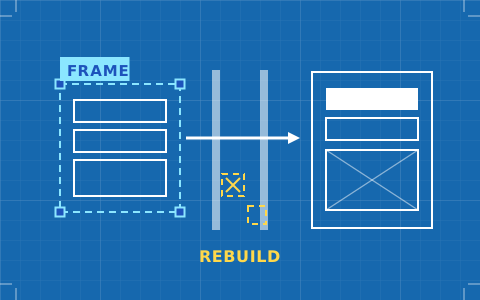
The plugin moves geometry. It cannot move a class architecture, and the class architecture is the entire point of building in Webflow. A working method for the handoff, and the parts worth rebuilding on purpose.
- Issued
- 08 AUG 2026
- Last verified
- 19 SEPT 2026
- Reading
- 5 min
- Type
- Guide
The Figma to Webflow handoff fails in a specific and predictable way, and it is worth naming before you attempt it. The plugin is good at geometry — positions, sizes, colours, type, assets. It is incapable of doing the thing that makes a Webflow build worth having, which is deciding what your classes are. Import a file without having made that decision and you receive a page that looks correct and behaves like a pile of unrelated declarations.
That is not a flaw in the plugin. It is the gap between a static artboard and a document flow, and no tool is going to close it. What you can do is stop expecting the import to close it, and structure the work around the gap instead.
What reliably makes it across
The useful mental model is that anything with a numeric value transfers, and anything that is a decision does not. Geometry is numbers. Architecture is decisions. Here is where the line falls in practice.
- Layout geometry. Frames become divs with roughly the spacing and arrangement you drew.
- Type. Families, sizes, weights and line heights transfer as values.
- Colour. Fills and strokes come through accurately.
- Assets. Images and vectors upload rather than needing manual export.
- Auto-layout structure. Frames built with auto-layout map onto flex containers sensibly, which is the single biggest determinant of import quality.
What never makes it across
This list is longer than it looks, because several of the items are load-bearing for the entire build rather than details you patch afterwards.
- Class architecture. Every style arrives attached to an element, not to a reusable, named, combinable class.
- Responsive intent. Your artboards at three widths are three artboards, not a cascade with a base and overrides.
- States. Hover, focus, active, disabled — none of them exist in the file, so none of them exist after the import.
- Content structure. Nothing tells the plugin that these twelve cards are one CMS collection.
- Interaction. Prototype links are not web interactions and are not treated as such.
Of those, the class architecture is the one that decides whether the project is pleasant or miserable six weeks later. The others are work; that one is debt.
The three failures that show up every time
Text that will not reflow. A headline that was set to a fixed width in Figma arrives with that width, and at 375 pixels it either overflows or gets truncated. Fixed-width text is the most common single cause of a broken mobile layout after an import, and it is entirely preventable by setting text to hug or fill before you export anything.
Images that are placed rather than filled. A photograph dropped into a frame at the size it happened to be will not behave like a responsive image. In the browser you want an element with a defined aspect ratio and an object-fit rule; what you get is a bitmap at 1,440 pixels wide that will letterbox or crop wrongly on every other screen.
Spacing carried as margins instead of gaps. Figma layouts built with nudged positions produce a page held together by individual margin values. Rebuilt properly as flex or grid containers with a gap, the same layout is a fraction of the declarations and survives content changes. The import cannot make that conversion for you because it cannot know which spacing was intentional.
Preparing the Figma file so the import is worth doing
Most of the quality of a handoff is decided in Figma, days before anyone opens Webflow. Four habits do the heavy lifting.
Auto-layout everything, including the things that do not obviously need it. A frame with auto-layout arrives as a flex container with direction, gap and padding intact. A frame with absolutely positioned children arrives as a set of absolutely positioned children, and you will rebuild it.
Use variables for colour, type and spacing. Not because they transfer perfectly but because the discipline of having defined them means you know what your Webflow classes need to be before you start naming them.
Name layers as if they were classes. If the frame is called card-feature in Figma, the translation step is mechanical. If it is called Frame 247, you are making architectural decisions while fighting an import, which is the worst possible moment to make them.
Design the base, not the desktop. If your only artboard is 1440 wide, your class cascade has no base to inherit from. Designing the narrow case first gives the Webflow build a foundation that widens, rather than a desktop layout that has to be dismantled.
A method that works
Treat the import as a tracing layer and the build as a build. Concretely: import the page into a staging site, put it on a second browser tab, and construct the real page next to it with your own class system. You get the measurements and the assets without inheriting the mess.
Then build in this order — base typography and colour as global classes first, layout containers second, components third, page assembly last. It is the reverse of how the import arranges things, and it is the order that produces a site you can still edit in six months.
The exception is a one-off landing page with no future. For those, importing and tidying is genuinely faster and nobody is harmed. Know which kind of page you are making before you choose the method.
How much time this actually saves
Honestly assessed, the plugin saves asset export, colour transcription and the tedium of typing spacing values. On a medium page that is real but modest — the kind of saving that matters across ten pages and disappears on one. What it does not save is the architecture, which is the majority of the skilled work.
Studios that quote a Webflow build as "import the Figma and tidy it up" lose money on that assumption reliably. Quote the class system as its own line and the project behaves.
Where this sits in the decision
If the Figma handoff is the deciding factor in your tool choice, be aware that no platform in this category solves it and the differences are of degree. Webflow's plugin gives you geometry into a tool with a real cascade; Framer's paste path is smoother into a tool with no cascade at all. Which trade is right depends on everything else, and the best website builders for designers lays the rest of it out. The specifics of the other route are on the Figma to Framer sheet.
Queries raised on this sheet
Does the Figma to Webflow plugin produce usable production code?
It produces usable structure, not production architecture. Layout, type, colour and assets arrive accurately, but every style lands on the element rather than on a named class, so the output is correct-looking and unmaintainable until you impose a class system on it yourself.
Should I import the whole page or component by component?
Component by component, almost always. Importing a full page encourages you to accept the structure you were given; importing a card, a navigation bar or a footer on its own keeps the decision about where it sits in your class hierarchy firmly with you.
What single change to my Figma file most improves the result?
Auto-layout on every frame, including the ones that look like they do not need it. Auto-layout frames map onto flex containers with direction, gap and padding intact; absolutely positioned children map onto absolutely positioned children, which is the thing you will spend the afternoon undoing.
How should I quote a build that starts from a Figma file?
Quote the class architecture as its own line item rather than folding it into "import and tidy". The import saves asset export and value transcription; it saves none of the structural work, and studios that price as though it does lose money on it consistently.
See alsoWhere this tool lands against the rest of the set: the best website builders for designers.