Workflow sheet
Figma to Framer: A Workflow That Does Not Waste the File
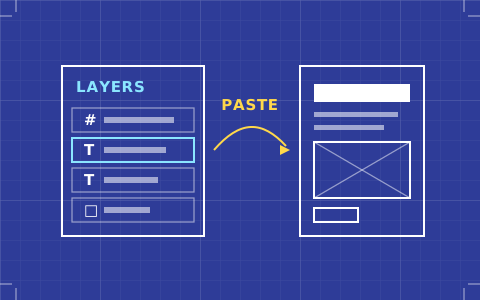
Framer's paste-from-Figma is the smoothest import in the category, which makes it the easiest to misuse. What to fix in the file first, and where the import stops being help.
- Issued
- 13 AUG 2026
- Last verified
- 19 SEPT 2026
- Reading
- 4 min
- Type
- Guide
The Figma to Framer workflow has a reputation for being effortless, and the reputation is half earned. You can select frames on a Figma canvas, copy them, paste into Framer and watch layers, groups and structure arrive intact. Nothing else in this category does that as cleanly.
The half that is not earned is what happens next. A pasted layout is a static arrangement that happens to be made of Framer elements. It is not responsive, it has no states, and it knows nothing about your content model. Designers who treat the paste as the end of the layout work produce sites that are beautiful at 1,440 pixels and embarrassing at 390.
Fix these in Figma before you copy anything
The quality of a Framer paste is decided almost entirely by the discipline of the source file, and the return on twenty minutes of tidying is enormous. Auto-layout is the first and biggest lever: a frame with auto-layout arrives as a Framer stack with its direction, gap and padding preserved, and a frame without it arrives as a set of absolutely positioned children that will not move when the viewport does.
Text sizing is the second. Any text layer set to a fixed width will paste as a fixed width, and fixed-width text is the direct cause of most broken mobile layouts after an import. Setting text to hug or fill before you copy costs seconds and saves an afternoon of hunting overflow.
Third, flatten what should be flat and group what should be a component. Deeply nested groups that exist because of how the file evolved rather than how the page is structured will paste faithfully, preserving a hierarchy nobody wants. If a card is a card, it should be one frame with one clear internal structure before it goes anywhere near Framer.
What comes across well
Type is the standout. Families, sizes, weights, line heights and letter spacing transfer accurately, and because Framer's typography controls are unusually complete, the values remain editable in a way that feels native rather than imported. For a type-led design this alone justifies the route.
Colour, fills, strokes, radii and shadows all survive. Vector assets arrive as vectors rather than flattened bitmaps, which matters for logotypes and icons more than people expect. Auto-layout frames, as covered above, arrive as real stacks with real layout behaviour.
What you will rebuild regardless
Responsiveness is entirely on you. Framer's breakpoint model is a genuine model and a good one, but the paste gives it nothing to work from — your three Figma artboards are three unrelated arrangements, not a base with overrides. Expect to set sizing behaviour on every container you care about.
States do not exist in a Figma file in any form Framer can read, so hover, focus and active are built from scratch. The same goes for anything bound to the CMS: twelve pasted cards are twelve pasted cards, and turning them into one collection template is a separate, deliberate piece of work.
Interactions and transitions are also fresh work, though this is the area where Framer gives you the most back. The animation defaults are restrained and the controls are good enough that rebuilding a prototype's motion is usually faster than it was to prototype it.
When pasting is the wrong call
If the Figma file was drawn without auto-layout, do not paste it. You will spend longer unpicking absolute positions than you would spend building the layout properly in Framer, and you will end up with a structure shaped by an artboard rather than by the page.
The same applies to anything that is fundamentally a system rather than a composition. A page of repeating cards driven by content wants to be built as one component bound to a collection. Pasting the visual result and then trying to reverse it into a system is work in the wrong direction.
A sequence that holds up
Paste the design system first, not the pages. Bring across one instance of each component — a button, a card, a section header — and turn each into a proper Framer component with variants before anything else happens. Then build pages from those components, using the pasted page layouts only as a reference open in another window.
It feels slower for the first hour and it is faster by the end of the first day. More importantly it produces a Framer project whose structure someone else could pick up, which a pasted page never is.
How this weighs in the tool choice
Framer's import is smoother than Webflow's and lands in a tool with less structural depth underneath it, which is the trade in miniature. If the Figma route is what you are optimising for, Framer wins it; if what happens to the file afterwards matters more, the calculation changes. Both sit in context on the best website builders for designers, and the Framer review covers what you are committing to.
The components you should build first
Three components pay for themselves before lunch on any project. The first is a text block with variants for every level in your type scale, so that headings and body copy are instances rather than individually styled layers. Pasted text arrives as individually styled layers by default, and converting them later is the single most tedious cleanup task in Framer.
The second is a section wrapper carrying your page margins and vertical rhythm. Pasted sections carry the padding from the artboard, which means the spacing system lives in twenty places instead of one, and the first time a client asks to tighten the page you will edit all twenty.
The third is whatever repeats. Cards, list rows, logo tiles — anything that appears more than three times should be a component with variants before it appears a fourth. This is obvious advice that pasted layouts actively discourage, because the paste gives you twelve finished cards and no reason to notice they should have been one.
Queries raised on this sheet
Is pasting from Figma better than using the Framer plugin?
For most work the copy-and-paste route is quicker and gives the same result, since both move layers, groups and structure rather than generating code. The plugin is more useful when you want to bring across a large or organised selection in one pass rather than working frame by frame.
Why does my pasted Framer layout break on mobile?
Almost always fixed-width text or absolutely positioned children. A Figma frame without auto-layout pastes as elements pinned in place, and text set to a fixed width keeps that width at every viewport. Both are fixed in the source file far faster than they are fixed after the paste.
Can I paste a whole Figma page into Framer and publish it?
You can publish it, and it will look right at the width you designed and wrong at most others. A paste is a static arrangement with no responsive behaviour, no states and no CMS binding, so treat it as the starting geometry for a build rather than as the build.
Does Framer keep my Figma type styles as reusable styles?
The values transfer accurately but they land on individual layers, not as a shared type scale. Rebuilding them as Framer text components with variants early is what turns an imported layout into something maintainable, and it is much cheaper done on day one than on day ten.
See alsoWhere this tool lands against the rest of the set: the best website builders for designers.